
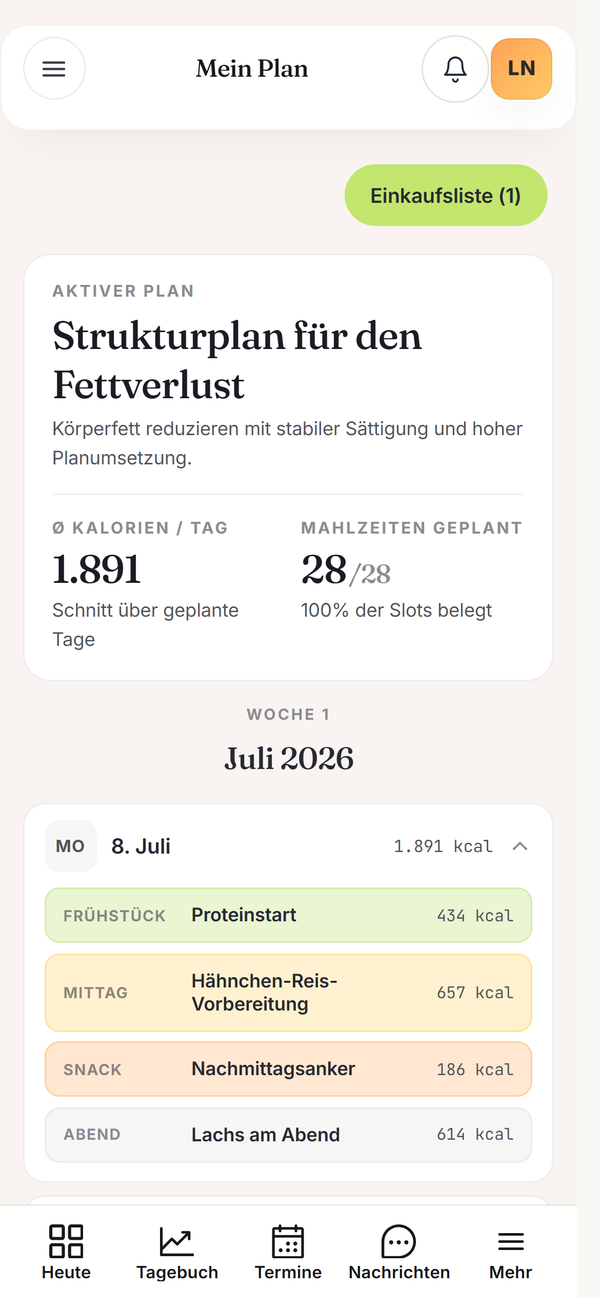
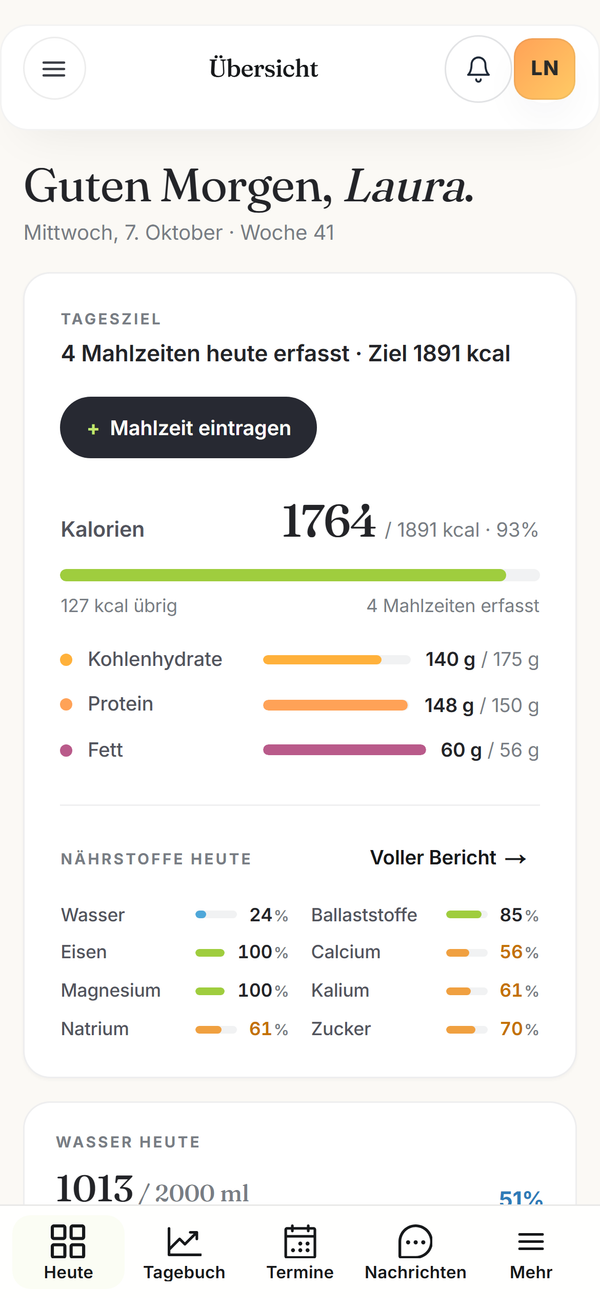
Today page
The day at a glance
After signing in, your clients see what matters today: meals from the plan, open tasks, water and the next appointment. Not a file store, but a starting point for the day.
Feature in detail
Your clients see their plan, tasks, appointments and food diary in one place, on mobile in the browser and without an app store. Included in all pricing plans, with no costs per client.
Day to day
Care happens between appointments. The portal makes it visible: what's on today, what has been tracked and what feedback you've given.
From your clients' point of view
Today page, plan, food diary with barcode and photo, just as your clients see them on their phone. There are separate guides for them, and you simply pass on the link.
Watch all 51 videosThe building blocks
Today page
After signing in, your clients see what matters today: meals from the plan, open tasks, water and the next appointment. Not a file store, but a starting point for the day.
Food diary
Entries are added by search, barcode scan or AI photo recognition. The nutrition values come from the central food database based on the BLS (German Nutrient Database) instead of AI estimates, and the daily balance is measured against the personal targets from the needs assessment.
Plans and shopping
Released nutrition plans show meals, recipes and portions. The shopping list breaks recipe ingredients down automatically and can be ticked off in the shop. Plans are also available as a branded PDF on request.
Appointments
Clients book through your public booking page and reschedule appointments themselves in the portal. You set the deadlines for this per practice, and reminders go out automatically.
Check-ins and habits
Regular check-ins collect feedback in a structured way, and daily habits are ticked off in the portal. You see the history in the client file, including adherence.
Messages and documents
Questions go through messages instead of private messenger apps. You share documents from the client file selectively, optionally linked directly to an appointment.
Your view
The portal invitation goes out directly from the client file. Your clients register with their own email address, with nothing to install.
You decide what becomes visible: plans once you release them, sections of the needs assessment, individual lab values. Internal notes always stay with you.
You see food diary entries, check-ins and completed tasks in the client file and reply via messages when there is something to say.
Trends, daily balances and adherence land in the client file automatically. At the next appointment you start with real data instead of gaps in memory.
The essentials
Included
The client portal is included in every package. There are no costs per client and no extra package for the portal.
No app store
The portal runs on mobile in the browser and can be added to the home screen with one tap, including push notifications. Updates roll out by themselves.
Data protection
Hosting in German Azure data centres, a data processing agreement to download, consent with withdrawal directly in the portal. AI photo recognition runs in the EU.
Frequently asked questions
No. The portal is a web app and runs in any current browser. Anyone who likes can install it on the home screen with one tap. Push notifications work there too.
Only what you release is visible: plans after your release, selected sections of the needs assessment, individual lab values. Internal notes stay in the practitioner portal.
Clients take a photo of the meal, the AI recognises the foods, and the nutrition values come from the food database based on the BLS. Processing takes place in the EU and requires explicit consent, which can be withdrawn in the portal at any time.
Yes. They book free slots through your public booking page and reschedule appointments themselves in the portal within your deadlines. Reminders go out automatically.
German, English, Spanish and Portuguese (Brazil). You set the language in the client file, and it applies from the invitation onwards to the portal, emails and notifications. Your clients can change it themselves in their settings. Plans, recipes and messages appear as you write them.
More features
Start for free and invite your first client: 14-day trial, no credit card, portal included from day one.