
Intake & questionnaires
Structured capture
Intake (medical history) and a basic questionnaire are built in. You create your own questionnaires, assign them and evaluate them. Submitted answers go straight into the client file.
Feature in detail
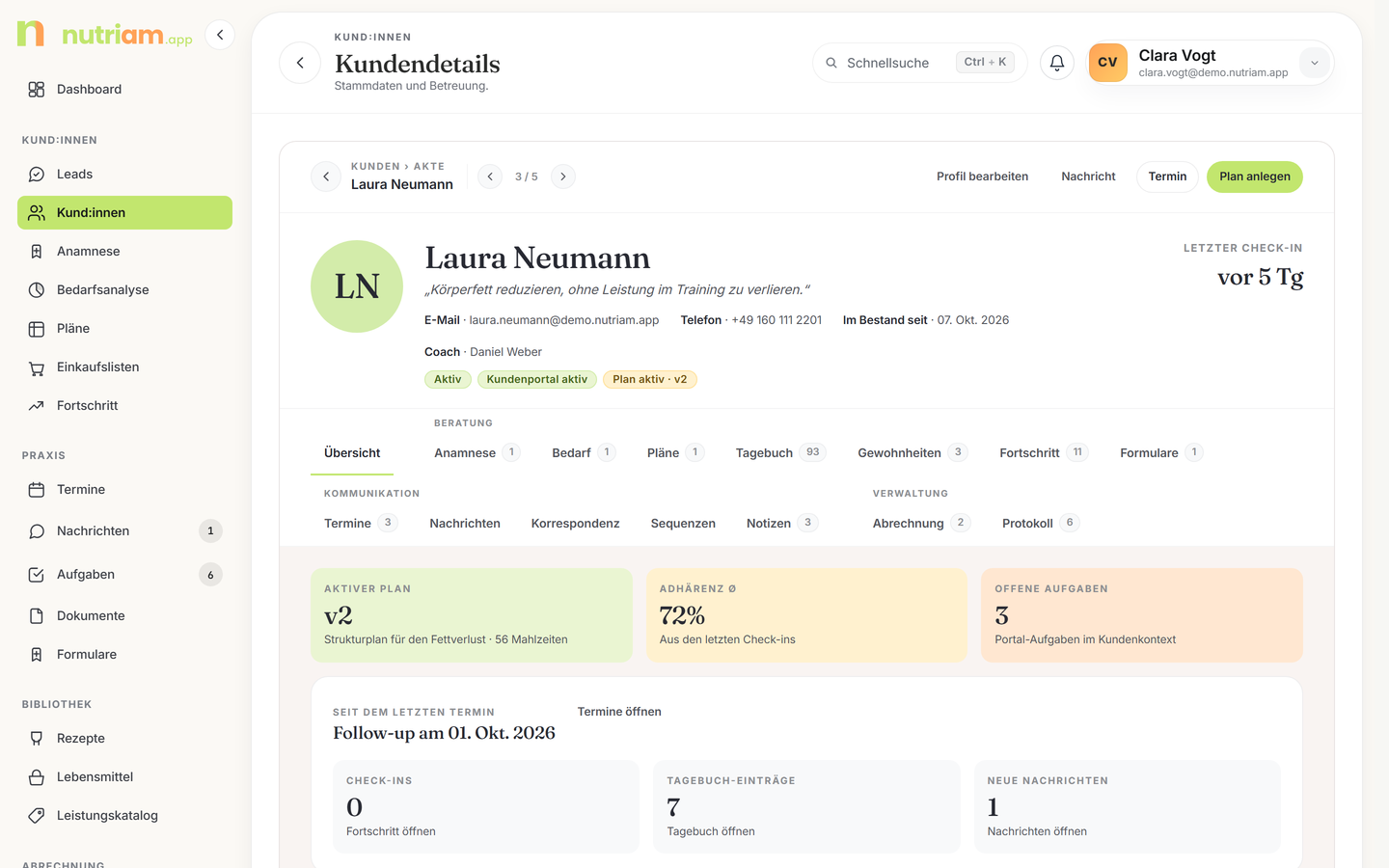
Basic data, intake, needs assessment, plans, lab values and every piece of feedback live in the same place. You open a client file and have the whole picture, instead of four tabs and a folder.
Day to day
Counselling thrives on context. The client file shows it in chronological order: what was discussed, what was tracked and what comes next.
The building blocks
Intake & questionnaires
Intake (medical history) and a basic questionnaire are built in. You create your own questionnaires, assign them and evaluate them. Submitted answers go straight into the client file.
Needs assessment
From basic data, activity level and goal, nutriam calculates energy and macro requirements, complemented by reference values for micronutrients. The targets feed straight into the plan board and food diary.
Lab values
You record lab values with the date and the lab's reference range, or the AI reads the report from the PDF and you accept the checked values. You see a trend for each value, for example ferritin or vitamin D. The values are not assessed. You decide value by value what your clients see in the portal.
Doctor's report
For a doctor's practice or a German statutory health insurer, you create a report from the client file as a letter PDF with your letterhead. No copying and pasting into Word.
Plans with target/actual
Nutrition plans calculate nutrition values automatically and show target and actual from the needs assessment side by side. Plans can be duplicated, also for other clients, and exported as a branded PDF.
History & notes
Check-ins, weight history, tasks and documents are attached to the client file. Internal notes stay in the practitioner portal, never in the client portal.
How the client file fills up
You create new clients one by one or import your existing clients via CSV, including date of birth and address.
You fill in the intake and needs assessment during the session or afterwards. You send your own questionnaires to the portal in advance.
You release what your clients should see: the needs assessment section by section, plans with one click, lab values individually.
Every piece of feedback, every document and every appointment lands in the history. At the next session, you look it up instead of trying to remember.
Frequently asked questions
Yes, via CSV import including basic data such as date of birth and address. If you book a live demo, we can do it together if you like.
No. Only what you actively release is visible: plans, sections of the needs assessment, individual lab values. Internal notes always stay in the practitioner portal.
Yes. You create your own questionnaires in the practitioner portal, assign them to individual clients and evaluate the answers in the client file.
Yes. Through the central food database, minerals such as iron, calcium, magnesium and potassium flow automatically into the food diary and plan. The needs assessment provides the matching target values.
Hosting in German Azure data centres, tenant separation at database level, a data processing agreement (DPA) to download and consents that can be withdrawn. Our guide to health data in nutrition counselling explains the basics.
Further reading: how consent for health data works properly is explained in the guide Health data in nutrition counselling. The most important obligations to tick off are collected in the GDPR (DSGVO) checklist.
More features
Start for free and create your first client file: 14-day trial, no credit card, CSV import included.